
fastf
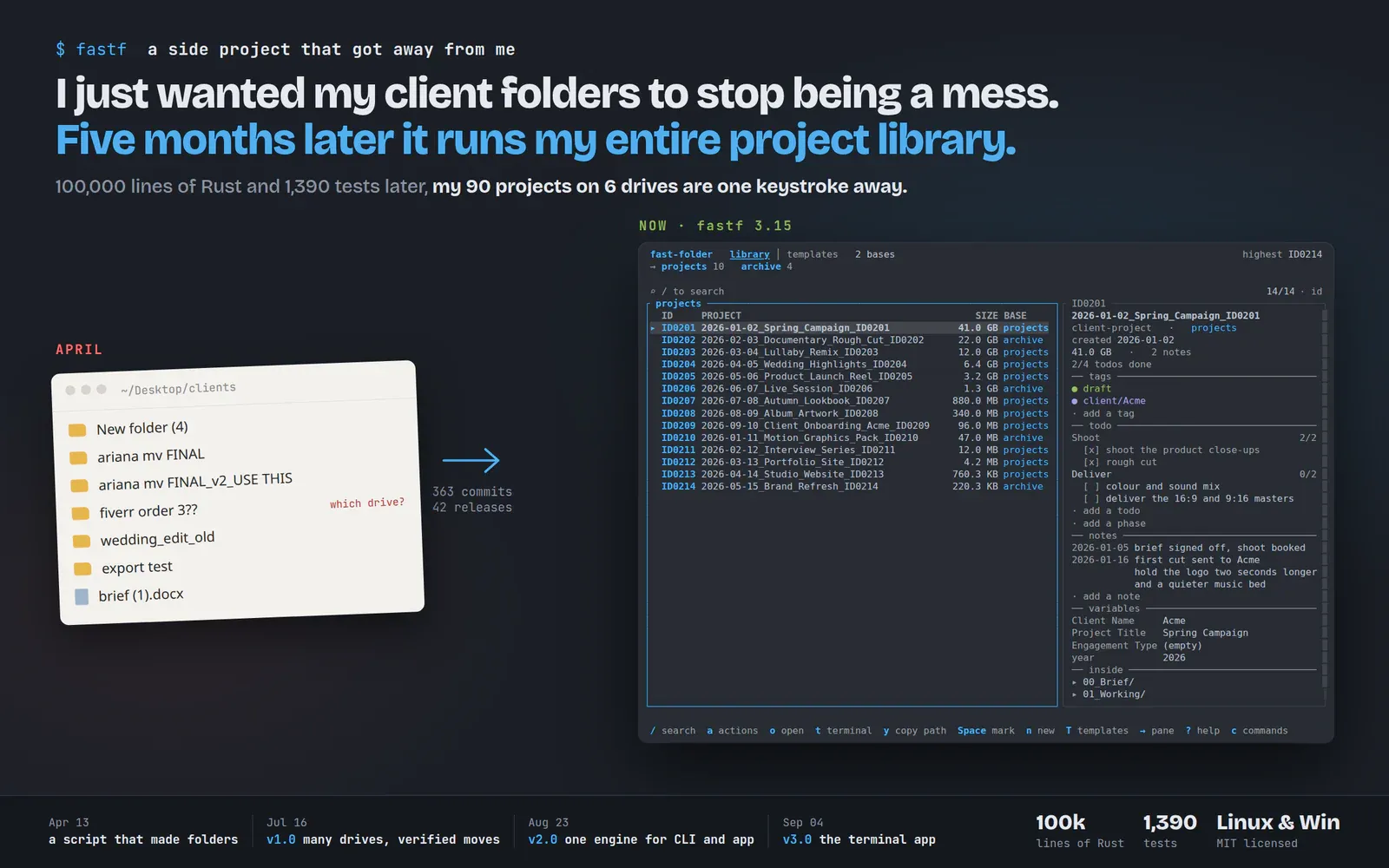
Everyone who works in projects has a folder convention, and it usually lives in one person's head. fastf writes the convention down as a template, builds every new project from it, and then keeps track of all of them: numbered, searchable, and safe to move between drives.
- Role
- Design and build
- Built with
- Rust, ratatui, clap, AUR and MSI packaging
- Runs on
- Linux, Windows
- Licence
- MIT
A folder convention erodes. It survives three calm weeks and then a rushed deadline puts a project in the wrong place with the wrong name, and a year later nobody can find anything.
The second problem arrives later. Once there are a few hundred projects spread over an internal drive, an archive disk and a network share, the hard part is finding the old ones.
Describe it once
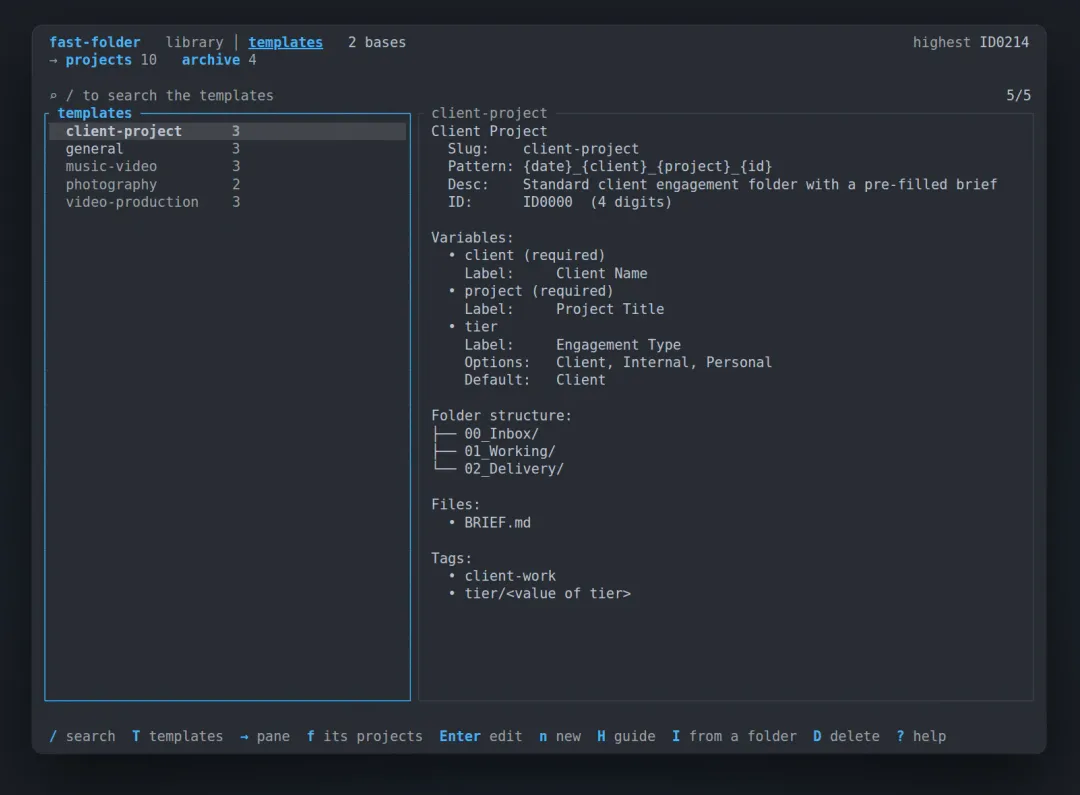
fastf treats the convention as code. A template holds the naming pattern, the questions to ask, the subfolders, the starter files and the tags. Every project made from it comes out the same way, with a permanent ID in its name.
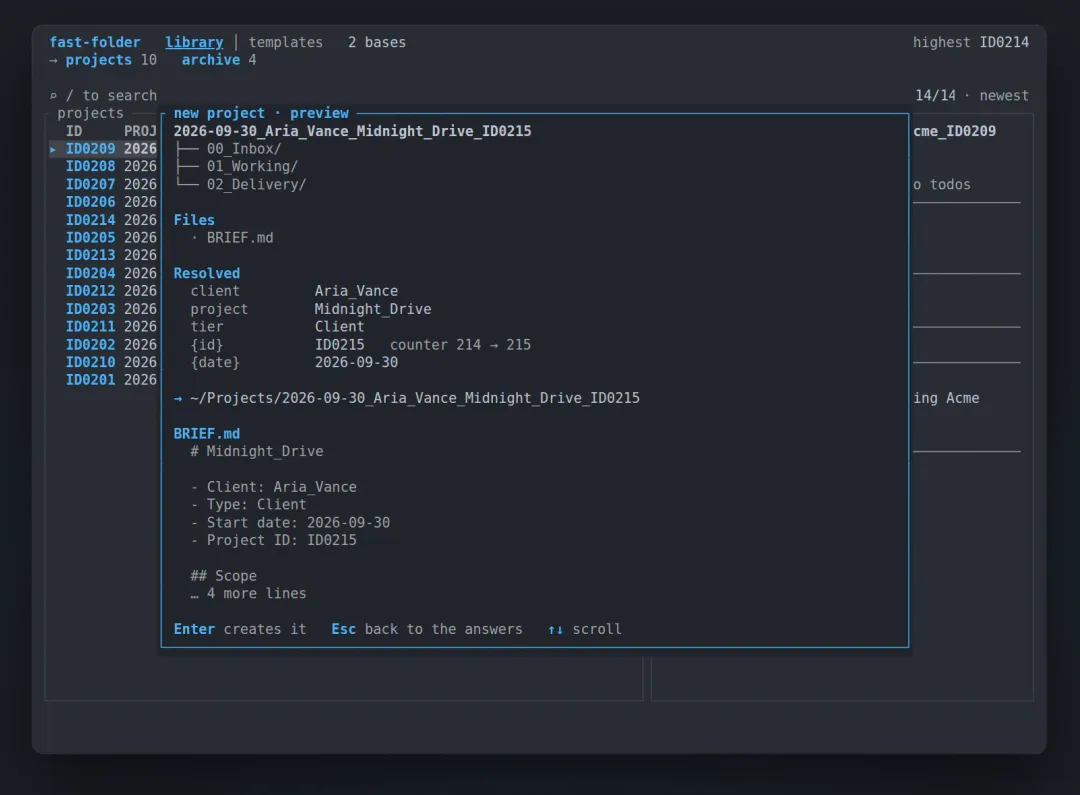
Before anything touches the disk, fastf shows the result: the folder name, the tree, the brief with the answers already written into it, and the ID it is about to use. Enter creates it. Escape goes back to the answers with nothing lost.
The templates are the product, so the tool is not specific to software.
- A video editor gets a delivery ready folder for every video.
- A designer gets brief and asset folders named for the client.
- A journalist gets a story folder with places for interviews, footage, and drafts.
- A developer gets a code scaffold with configs ready to build.
Plain folders, no database
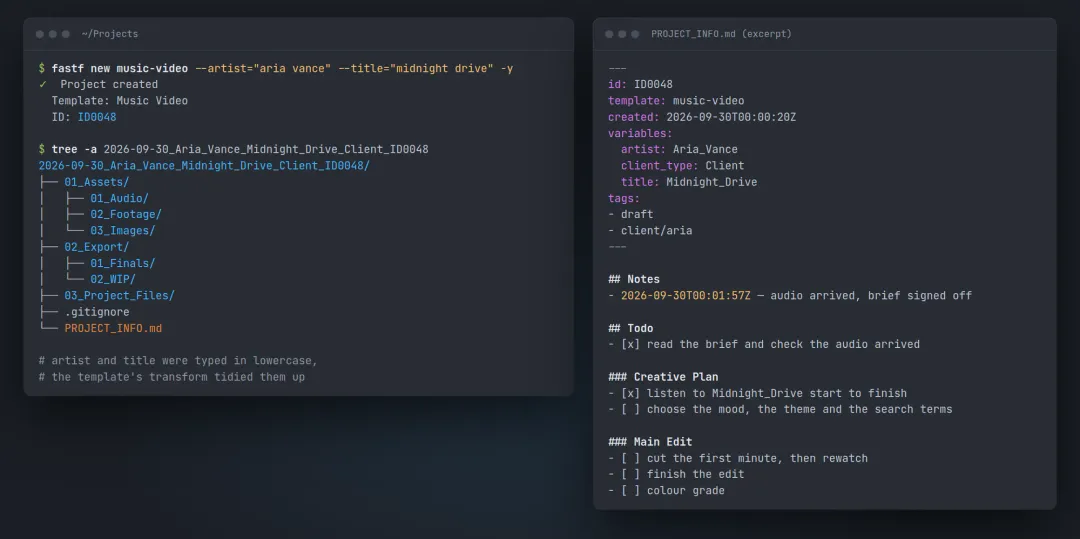
A folder is a project because it contains a PROJECT_INFO.md file. That file holds the template’s answers, the tags, dated notes, and a todo list grouped into phases, all as plain Markdown that any editor can change. Move the folder with a file manager and it is still the same project. Delete it and the project goes with it.
One library across drives
fastf can hold several bases at once: an internal drive for current work, an archive disk, a network share. They become one list, with a column saying which base each project is on, and a drive that is unplugged drops out until it comes back.
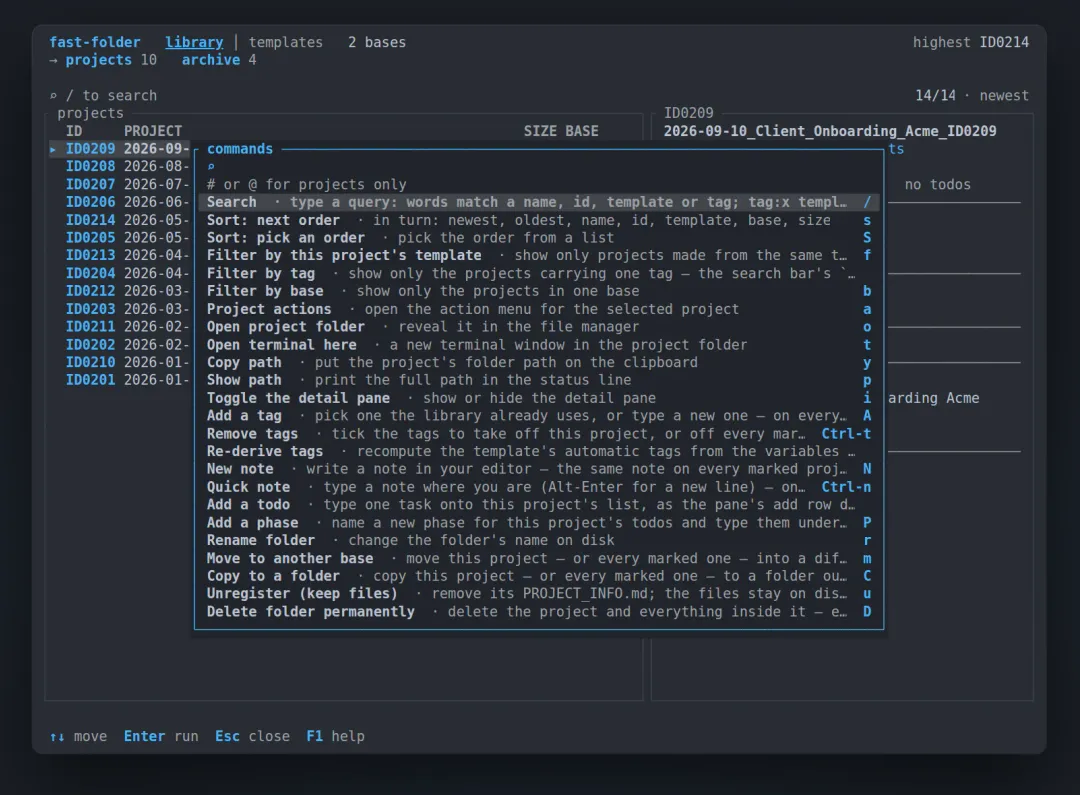
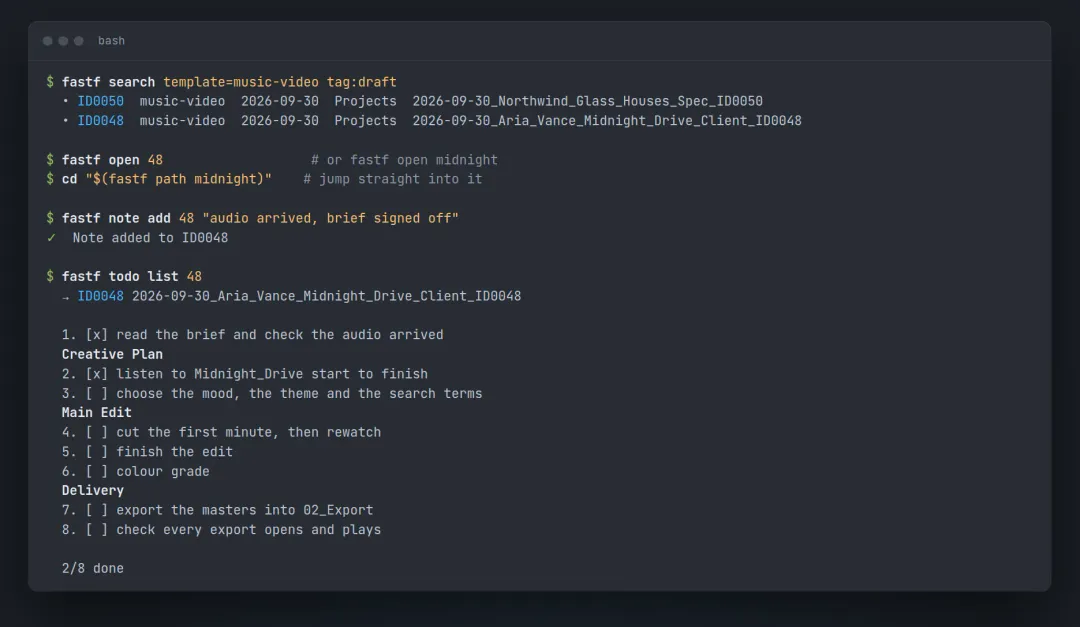
fastf open 48 opens a project by its number, and fastf open midnight finds the same one by a word from its name. In the terminal app the list narrows as you type, and a typo still finds the project. Pressing c opens a palette with every action in the app, and most of them also have a single key.
Moves that finish
A move between drives is the riskiest thing the tool does. fastf copies every file, checks every path, size and link against a manifest, confirms the original has not changed, and only then removes it, so an interruption cannot leave half a project behind. The move runs as a job of its own. It names each step as it counts it, keeps going when the terminal closes, and waits for a network mount that drops out instead of failing.
The same work from a shell
Everything the app does has a command, so the same tool fits into a script, a cron job, or a desktop hotkey. cd "$(fastf path midnight)" puts a shell straight inside a project, and notes and todos can be added without opening anything.
Getting it, and its limits
fastf is one self contained binary, MIT licensed, for Linux and Windows. Arch users get it from the AUR as fast-folder or fast-folder-bin, any other Linux can use the one line install script, and Windows has an MSI installer on the releases page. Every release archive is listed with its checksum and carries a signed build attestation.
It lives in a terminal, which suits people who already work in one and asks something of people who do not. It has no network surface at all: it reads and writes files on the machine it runs on and does nothing else. It is a tool for one person on one computer, and coordinating simultaneous writers across machines is a different problem and a different program.
Want something like this?
Tell us what the finished thing should do and roughly when you need it. You get a straight answer about scope and price.